
Zoom Guide
Tutorial: Joining a Meeting
This will guide you through the ways you can join a meeting on the Zoom app.
Option A: Using the Invitation URL
Step 1
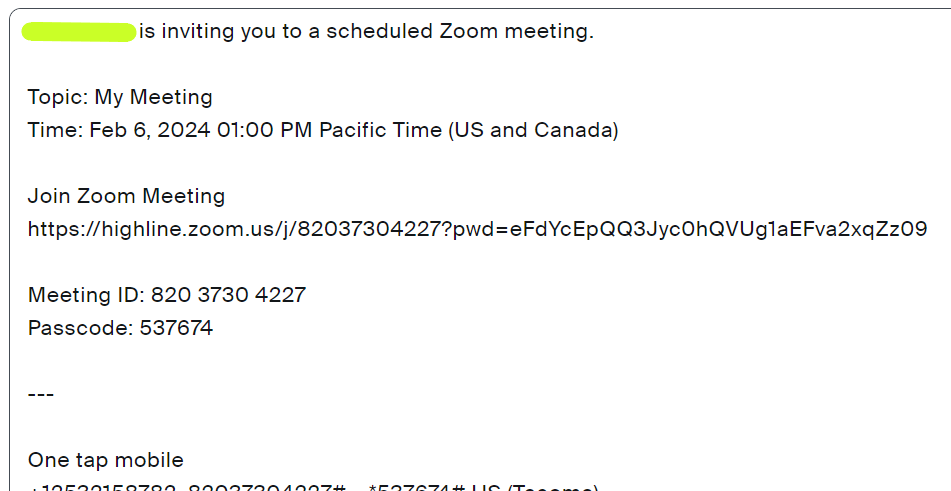
Click on the URL in the meeting invitation that was likely emailed to you (you can also copy and paste it into your web browser). You will find it where it says “Join Zoom Meeting.”
It will launch the Zoom app and connect you to the meeting. It may take a minute.
- Please note: There is also a ‘Meeting ID’ and ‘Passcode,’ which is one of the ways to join a meeting through the Zoom App directly, as described in Option B below.
Option B : Through the Zoom App
Step 1
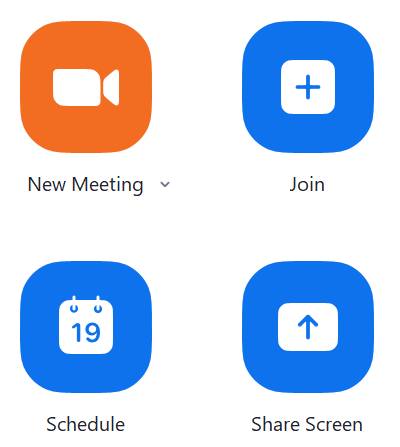
Open the Zoom app, and click the blue ‘Join’ tile on the homepage.
Step 2
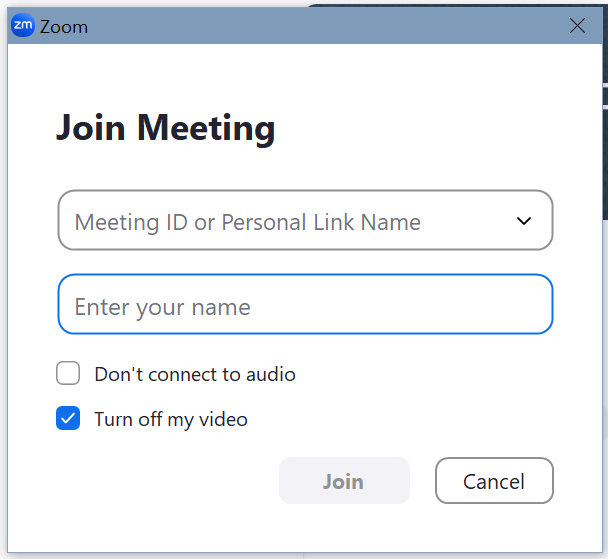
You will be prompted to enter your name, and either:
- Enter the meeting ID; or
- Enter the code and password
Either of these you should be able to get from the meeting invitation, or the meeting organizer.
Questions?
- Please contact the Help Desk.